Deprecated: strtr(): Passing null to parameter #1 ($string) of type string is deprecated in /chroot/home/a40b7614/774635bdc8.nxcli.io/html/wp-content/plugins/moosend-email-marketing/vendor/moosend/website-tracking/src/Utils/Encryption.php on line 8 Deprecated: urlencode(): Passing null to parameter #1 ($string) of type string is deprecated in /chroot/home/a40b7614/774635bdc8.nxcli.io/html/wp-content/plugins/moosend-email-marketing/vendor/moosend/website-tracking/src/Payload.php on line 202 Scott Duffy – Page 18 – SoftwareArchitect.ca

Author: Scott Duffy

  • Creating Azure Functions

    Creating Azure Functions

    Here’s some brand new content from the SoftwareArchitect.ca YouTube channel that you might find interesting.

    Azure Function App – In this video we’ll cover how to create an Azure Function using the Portal. There are some decisions to make, such as operating system, code language, and pricing model. I discuss how to approach making these decisions.

    Azure Functions are small pieces of code that Azure will execute using events. There are no continuously running functions, and you should try to keep them small. Events can be anything such as a timer, service bus queue, blob file creation, or Cosmos DB database insert.

    #azure #azurefunctions #serverless #CloudNative

    Quickstart Series: Windows Web App in Azure

    In this video, I show you how to create a Windows Web App in Microsoft Azure. Windows Web App. We go through the Azure Portal, and see how form fields get filled in. If you can’t afford to create resources in Azure, but want to see how it’s done in 2018, this is the video for you.

    Or you can see the video directly on YouTube.

  • Azure Cosmos DB Tutorial : Create CosmosDB – Part 4 of 5

    Azure Cosmos DB Tutorial : Create CosmosDB – Part 4 of 5

    Here’s some brand new content from the SoftwareArchitect.ca YouTube channel that you might find interesting.

    Azure Cosmos DB Tutorial. In this five-part series, Aanvik from SoftwareArchitect.ca will go through the details of working with Cosmos DB.

    In part four, we talk about the creating another CosmosDB collection but this time using code. We use Visual Studio .NET/C# create this collection. A very practical walk through of working with Cosmos DB in Azure.

    Quickstart Series: Windows Web App in Azure

    In this video, I show you how to create a Windows Web App in Microsoft Azure. Windows Web App. We go through the Azure Portal, and see how form fields get filled in. If you can’t afford to create resources in Azure, but want to see how it’s done in 2018, this is the video for you.

    Or you can see the video directly on YouTube.

  • Azure Cosmos DB Tutorial : Create CosmosDB – Part 3 of 5

    Azure Cosmos DB Tutorial : Create CosmosDB – Part 3 of 5

    Here’s some brand new content from the SoftwareArchitect.ca YouTube channel that you might find interesting.

    Azure Cosmos DB Tutorial. In this five-part series, Aanvik from SoftwareArchitect.ca will go through the details of working with Cosmos DB.

    In part three, we talk about the creating our first CosmosDB in the Azure Portal. We then use Visual Studio .NET/C# to populate some data into the database in our first collection. A very practical walk through of working with Cosmos DB in Azure.

    Quickstart Series: Windows Web App in Azure

    In this video, I show you how to create a Windows Web App in Microsoft Azure. Windows Web App. We go through the Azure Portal, and see how form fields get filled in. If you can’t afford to create resources in Azure, but want to see how it’s done in 2018, this is the video for you.

    Or you can see the video directly on YouTube.

  • Azure Exam Changes Oct 2018 – New Question Type

    Azure Exam Changes Oct 2018 – New Question Type

    Here’s some brand new content from the SoftwareArchitect.ca YouTube channel that you might find interesting.

    Azure Exam Changes Oct 2018. At Microsoft Ignite 2018, the Microsoft certification and learning teams announced a new type of question that will appear on the Azure beta exams. This is called performance testing. Essentially, during the exam, you will have a little “hands on lab” pop up and you are to perform a few tasks.

    Imagine being given a “Cloud Shell”, and asked to create a resource group with the following properties, a virtual network with the following properties, and a virtual machine inside that. It sounds complex.

    But you can choose Powershell or CLI. You can try executing commands, and if they fail, fix them. Use whatever tools existing in the Cloud Shell to get the job done. And at the end of the exam, you’re only judged on whether the task was completed. Not how it was done, but if it was done successfully.

    I love this idea. Very interesting. And a good way to test true knowledge versus memorization.

    Quickstart Series: Windows Web App in Azure

    In this video, I show you how to create a Windows Web App in Microsoft Azure. Windows Web App. We go through the Azure Portal, and see how form fields get filled in. If you can’t afford to create resources in Azure, but want to see how it’s done in 2018, this is the video for you.

    Or you can see the video directly on YouTube.

  • Happy Thanksgiving!

    Happy Thanksgiving!

    Just a quick video today to wish all my American friends a very happy Thanksgiving Day. Eat a little, shop a little, and have a relaxing long weekend away from the computer. 🙂

    Quickstart Series: Windows Web App in Azure

    In this video, I show you how to create a Windows Web App in Microsoft Azure. Windows Web App. We go through the Azure Portal, and see how form fields get filled in. If you can’t afford to create resources in Azure, but want to see how it’s done in 2018, this is the video for you.

    Or you can see the video directly on YouTube.

  • Azure Adds More Services in Canada

    Azure Adds More Services in Canada

    Hey guys!

    Some of you know that I live here in Toronto, Canada. When I was first starting out on Azure, Azure did not have any Canadian regions. In the last couple of years, they’ve rolled out Canada Central and Canada East. I should see if I can arrange a visit someday.

    Microsoft just announced that the M-Series Virtual Machine size is now available in Canada.

    The monsters (does M stand for Monster?) offer 192 GB to 4 TB of RAM. (Oh, M stands for Memory-optimized.)

    The NCv3 series is also now available here. Those offer NVIDIA graphic cards and are GPU-optimized.

    And finally, SQL Managed Instances are being launched here too so that you can have use SQL Server as a managed service in Azure (as opposed to SQL Database which is related but a different model). True lift-and-shift migrations with assistance from Microsoft to manage it.

    The details are all on Microsoft Canada’s blog post: “Microsoft Launches new Cloud, Data & AI Capabilities in Canada”.

    #MSFTChangeAgent 

  • AZ-302 Promo Video

    AZ-302 Promo Video

    Here’s some brand new content from the SoftwareArchitect.ca YouTube channel that you might find interesting.

    Quickstart Series: Windows Web App in Azure

    In this video, I show you how to create a Windows Web App in Microsoft Azure. Windows Web App. We go through the Azure Portal, and see how form fields get filled in. If you can’t afford to create resources in Azure, but want to see how it’s done in 2018, this is the video for you.

    Or you can see the video directly on YouTube.

  • Exam Changes: What Should I Do?

    Exam Changes: What Should I Do?

    By far, the most common question I’m seeing in the courses and FB Group is, “I’ve been planning to take exam 70-5XX in October. But now Microsoft has these new exams. Should I still take the old exam, or should I take the new? What should I do?”

    Of course, the answer is going to be personal to you. You might be excited by the new exams and will happily switch to studying for that. Or you may be perfectly ready to take the existing exams, and don’t see any good reason to switch. So I can’t tell you what to do, just talk about what I would do.

    Why You Want to Take the New Exams

    Here’s some reasons why you might want to consider switching from the legacy exams to the new ones.

    1. If you pass these, you won’t have to take the same topic again for 2 more years. Microsoft has said they will start expiring certifications after 2 years. So expect to have to re-take exams every couple of years to keep your certifications. If you pass AZ-XXX now, you know that you’ll not have to think about it again until January 2021.
    2. The new exams have smaller scope. Instead of having to go into the testing center knowing “everything”, you only have to know half of everything to take the exam. So in this way, it’s a bit easier to study since you can go deeper on fewer topics.
    3. The content is roughly the same. There are very few topics on the new exams that were not on the old exams. 

    Why You Want to Take the Current Exams

    1. Some of the new exams are still in beta. You’ll have to wait until January 2019 to hear if you passed or not. You’ll have to wait until then to know that you are certified. That’s 3 months away!
    2. You’ll have to take two exams instead of one for the same result. This means you’ll have to pay twice, and answer twice the number of questions. So it’s more effort to take the new exams from a studying perspective.
    3. If you pass the current exam, that remains on your transcript forever. Even if Microsoft deprecates the exam itself, the accomplishment of passing remains.
    4. If you pass the current exam, and qualify for an MCSA or MCSE, you also get to keep that certification for 2 years. As I write this, it’s the last quarter of 2018. So you can keep your MCSA and MCSE til the end of 2020, that’s not much different than the new exam.
    5. You can pass the current exam, and then take the “transition” exam, for the same result. The option of taking two tests for the same result is still open to you. You can take the current exam and the transition exam, and become a Certified Expert. 
    6. Your result comes immediately, and your MCSA and MCSE certification as well. No need to wait until the beta period ends.

    The bottom line is that you lose nothing by taking the current exams and then the transition exam. You get the credential today, and get the new Expert one in the future. 

    That’s my recommendation. Taking the existing exams and doing the transition gets you the credential you need today, and the credential of the future when it comes out too. Win-win!

    But yes, it’s entirely personal. If you are happy to avoid the current exams, then the new ones are the way for you.

  • New Azure Exams

    New Azure Exams

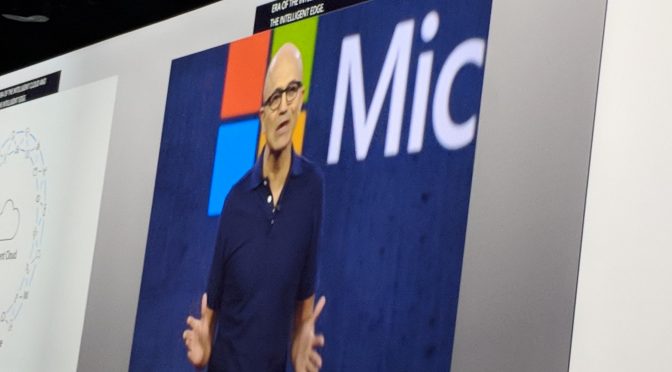
    So I’m here at Ignite, and Microsoft CEO Satya Nadella is on stage giving the keynote. But while he does that, let’s talk about the new Azure exams that are going to be announced this week.

    Azure Administrator Role

    We already knew about this, but there are two exams that make up the Azure Administrator Role.

    AZ-100 : Microsoft Azure Infrastructure and Deployment Exam

    AZ-101 : Microsoft Azure Integration and Security Exam

    Passing both gets you Microsoft Certified: Azure Administrator Associate

    Azure Developer Role

    AZ-200 : Microsoft Azure Developer Core Solutions Exam

    AZ-201 : Microsoft Azure Developer Advanced Solutions Exam

    Passing both gets you Microsoft Certified: Azure Developer Associate

    Azure Solutions Architect Role

    AZ-300 : Microsoft Azure Architect Technologies Exam

    AZ-301 : Microsoft Azure Architect Design Exam

    Passing both gets you Microsoft Certified: Azure Solutions Architect Expert

    The new MCSA for Associates

    Getting Microsoft Certified:  Azure Administrator Associate and Microsoft Certified:  Azure Developer Associate makes you Microsoft Certified: Azure DevOps Engineer Expert.

    More to come as I learn more.

  • Azure Cosmos DB Tutorial : Set Up CosmosDB – Part 2 of 5

    Azure Cosmos DB Tutorial : Set Up CosmosDB – Part 2 of 5

    Here’s some brand new content from the SoftwareArchitect.ca YouTube channel that you might find interesting.

    Azure Cosmos DB Tutorial. In this five-part series, Aanvik from SoftwareArchitect.ca will go through the details of working with Cosmos DB.

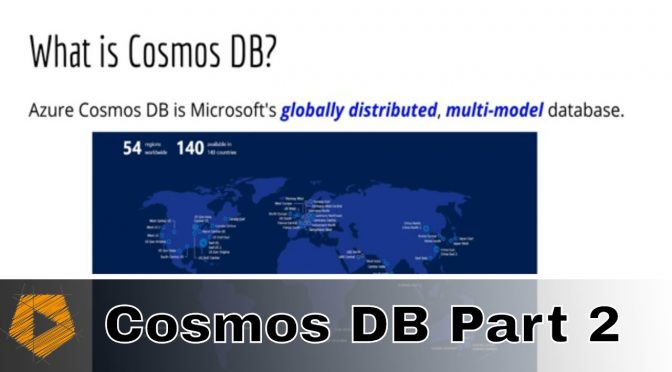
    In part two, we talk about the benefits of Cosmos DB, and what makes it globally-distributed and multi-modal.

    Quickstart Series: Windows Web App in Azure

    In this video, I show you how to create a Windows Web App in Microsoft Azure. Windows Web App. We go through the Azure Portal, and see how form fields get filled in. If you can’t afford to create resources in Azure, but want to see how it’s done in 2018, this is the video for you.

    Or you can see the video directly on YouTube.